
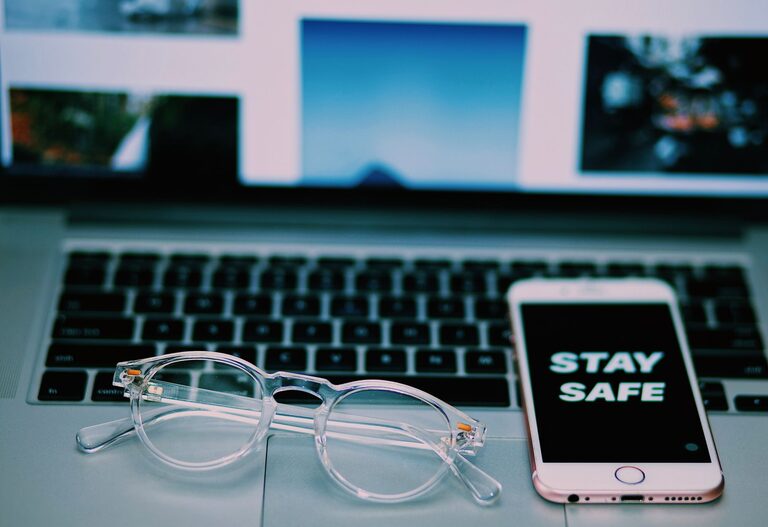
Keeping your phone and keyboard clean is essential not only for hygiene but also for maintaining the performance and longevity of these devices. Since we use them daily and often touch them with our hands, they can accumulate dirt, oils, and germs. Cleaning them properly ensures a healthier environment and can also help avoid problems like sticky keys or touchscreen responsiveness issues.
In this post, we’ll guide you through safe and effective ways to clean your phone and keyboard. Whether you’re using a smartphone, a laptop keyboard, or a standalone desktop keyboard, these tips will help you keep them in great shape without risking damage.
Why Cleaning Your Phone and Keyboard Matters
Phones and keyboards are among the most frequently touched surfaces in our daily lives. They easily collect:
– Oils and sweat from your fingers
– Dust and debris
– Food crumbs and spills
– Germs and bacteria
Regular cleaning reduces the risk of spreading germs and keeps your devices functioning smoothly. For phones, dirt can cause screen smudges and reduce touch sensitivity. For keyboards, dust and particles can cause keys to stick or type incorrectly.
Precautions Before You Start Cleaning
Before cleaning, keep in mind:
– Always power off your device and unplug it if possible.
– Avoid using harsh chemicals, such as bleach or ammonia-based cleaners.
– Never spray liquid directly onto your device to prevent moisture damage.
– Use soft, lint-free cloths like microfiber for wiping.
– Check manufacturer recommendations for cleaning agents, especially for phones.
How to Clean Your Phone Safely
What You’ll Need
– Microfiber cloth
– Distilled water
– Isopropyl alcohol (70% or less) or screen-safe disinfecting wipes
– Cotton swabs
– Soft brush (optional)
Step-by-Step Guide
- **Turn Off and Unplug:** Shut down your phone and remove any case or accessories.
- **Remove Debris:** Use a soft brush or dry microfiber cloth to brush away dust from ports and crevices.
- **Prepare Cleaning Solution:** Mix equal parts distilled water and isopropyl alcohol in a spray bottle (if using a liquid). If using wipes, ensure they are safe for electronics.
- **Dampen the Cloth:** Lightly spray the solution onto the microfiber cloth; it should be damp, not wet.
- **Wipe the Phone:** Gently wipe the screen and body of the phone, avoiding excessive moisture near openings.
- **Clean Ports and Buttons:** Use a dry cotton swab or a soft brush to clean around buttons, speakers, and charging ports.
- **Dry Thoroughly:** Allow your phone to air dry completely before turning it on or putting on the case.
Tips for Special Phone Surfaces
– If your phone has an oleophobic (oil-repellent) coating, avoid abrasive cleaning to preserve it.
– For waterproof phones, still avoid submerging or excessive moisture.
How to Clean Your Keyboard Safely
What You’ll Need
– Microfiber cloth
– Compressed air can
– Isopropyl alcohol (70% or less)
– Cotton swabs
– Soft brush
Step-by-Step Guide
- **Unplug or Turn Off:** Disconnect your keyboard or turn off your laptop.
- **Remove Loose Debris:** Turn the keyboard upside down and gently shake to dislodge crumbs.
- **Blow Out Dust:** Use compressed air to blow dust and particles from between the keys. Hold the keyboard at an angle for better results.
- **Wipe the Surface:** Dampen a microfiber cloth with isopropyl alcohol solution and wipe the keys and surface. Avoid dripping liquid into the keyboard.
- **Detail Cleaning:** Dip a cotton swab in alcohol solution to clean around the edges of the keys and hard-to-reach areas.
- **Dry:** Let the keyboard dry completely before reconnecting or turning it on.
Additional Tips
– For mechanical keyboards, consider gently removing keycaps for a deep clean only if you are comfortable doing so.
– Avoid eating or drinking near your keyboard to minimize future buildup.
Maintaining Clean Devices Daily
– Wash your hands before using your phone or keyboard.
– Use a stylus for your phone to reduce direct contact.
– Keep food and drinks away from your workspace.
– Wipe down your devices weekly to prevent buildup.
Final Thoughts
Cleaning your phone and keyboard doesn’t have to be a complicated chore. By following these safe and straightforward steps, you protect your devices and maintain a cleaner, more hygienic workspace. Regular care not only improves your experience but also helps your gadgets last longer.
Make it a habit to clean your devices regularly and enjoy a healthier, more pleasant environment every day!
